
iPhone
V1 Bogey
In town, a radar detector spends its day shouting about automatic doors, motion sensors, and the blind-spot radar on the car beside you. One that goes off at every grocery store is one you stop listening to, and that is the only failure mode that actually costs you anything. V1 Bogey learns those false alarms so the alerts that remain mean something.
Requires a Valentine One Gen2. V1 Bogey only works with a Valentine One Gen2 radar detector connected over Bluetooth. It does not work with any other detector or brand, and does not include one. Don't have one? Buy directly from valentine1.com.
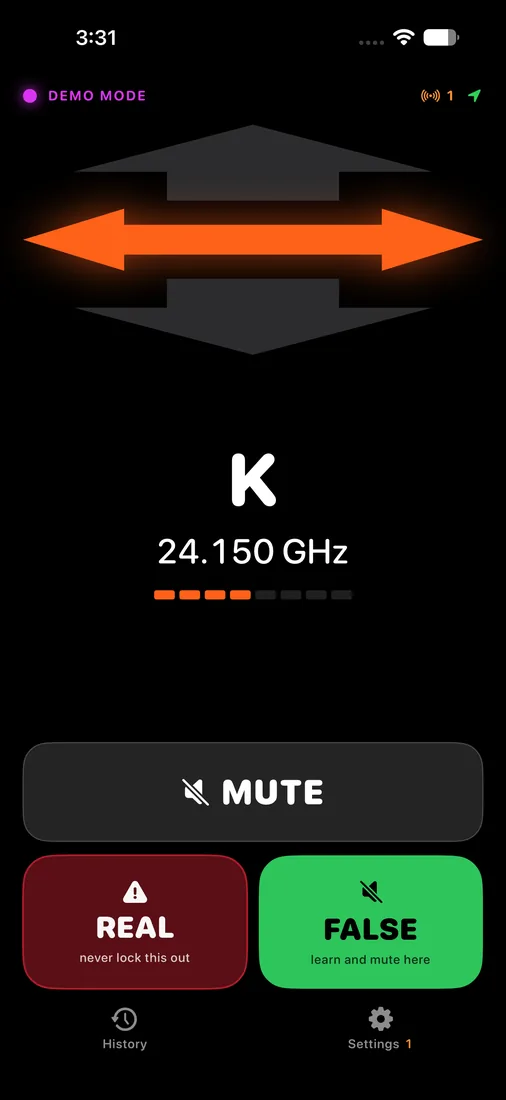
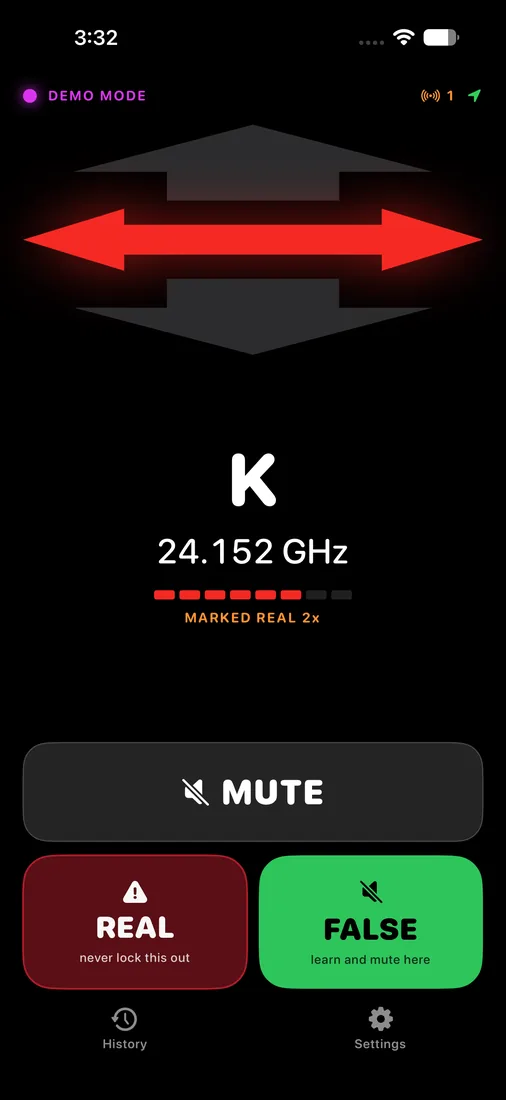
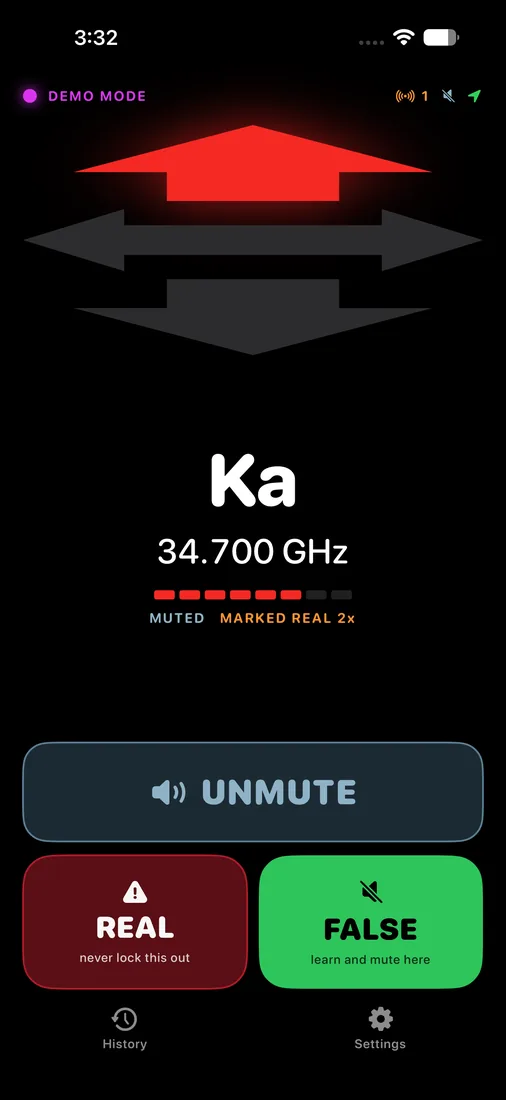
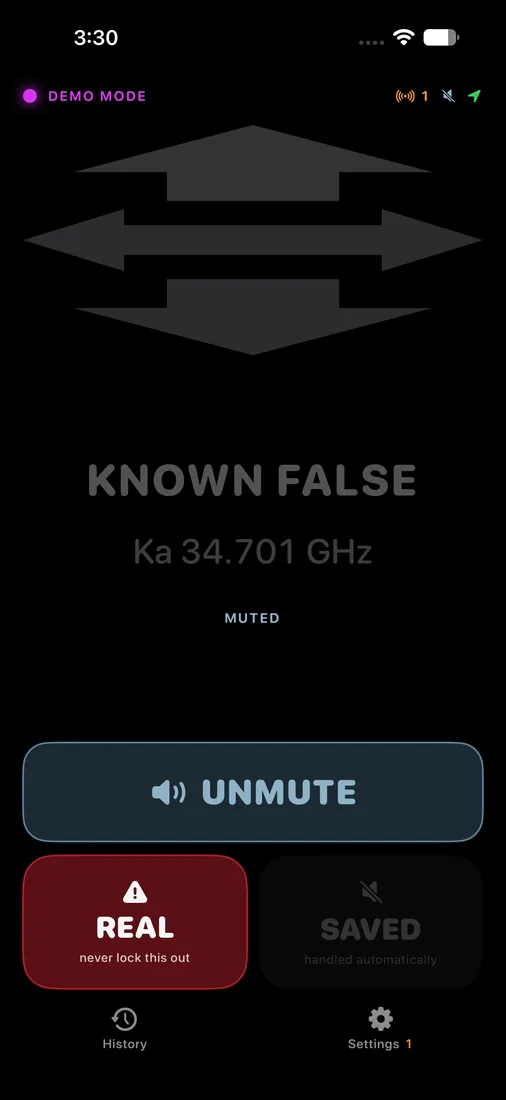
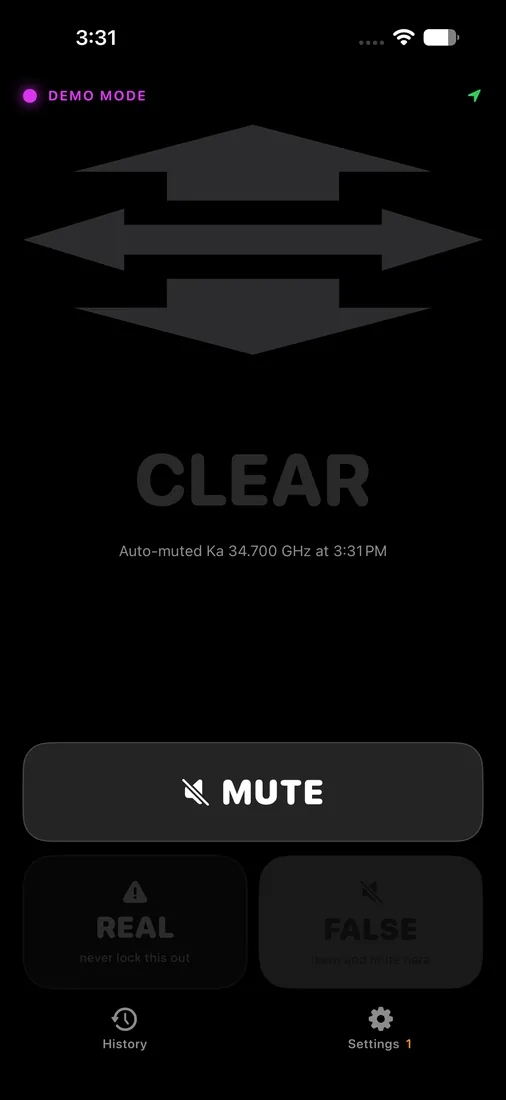
Screens captured in the app's demo mode.
What it does
A Valentine One needs no help on the open highway. Its own filtering does that work, and most of what survives it out there is worth hearing. City and suburb driving is the opposite problem, and it is the problem this app exists for.
V1 Bogey connects to a Valentine One Gen2 over Bluetooth and watches the alert stream. When a false alarm sounds, you press one button. It records where you were, which band, and the exact frequency. The next time you drive past that spot and that same signal appears, it sends the mute command to the detector before you have to think about it.
The screen is built to be read at a glance from a dashboard mount: three large arrows for bearing, colour that deepens from amber to red as the signal strengthens, and the band and frequency in large type. Nothing on it moves or reflows when the situation changes, because a layout that shifts while you glance at it is a layout you have to read twice.
How it decides
A saved lockout only fires when three things are true at once: you are within about 300 metres of where you saved it, the band matches exactly, and the frequency is within 10 MHz. Only the detector's priority alert is considered, so a genuine threat that outranks a known false alarm is never muted over the top of.
That window used to be 30 MHz. Exporting a real log and measuring it showed matched signals landing within about 1 MHz of their saved frequency, so 30 was far wider than it needed to be, and wide enough that a lockout could cover a frequency police actually use. It is worth being plain that 10 MHz narrows that risk rather than removing it: a door opener sitting a few MHz from a police frequency cannot be separated from it by any window worth having, and the answer there is to delete the lockout.
Every alert is logged as an encounter, with its peak strength, how far the frequency drifted, your speed at closest approach, and where you were. That log is reviewable for a week, so a signal you could not identify at the time can be classified later, from the sofa, once you have driven the same road twice more.
Labels, and not muting the wrong thing
The risk in an app like this is obvious: silence something real and you have made the problem worse than no app at all. Two things guard against it.
Labels are the first. You can name a recurring signal, and mark that label as never-auto-mute. A labelled frequency is then never silenced automatically, whatever the lockout table says. Unlike a lockout, which is pinned to a fixed spot, a label is a frequency fingerprint with an area of relevance that grows as you apply it further afield, because a patrol car moves and a garage door does not.
The second is that optional automatic learning excludes Ka entirely. Automatic learning locks out a signal seen on three separate days at the same place, which describes a door opener perfectly and also describes a patrol car that works the same corner every weekday morning. X and K are safe to learn that way. Ka is the band American police actually use, so it always requires a deliberate decision from you.
What it cannot do
It cannot tell you how far away a radar source is. Police radar is a one-way transmission, so there is no round trip and no ranging, and any app that draws a distance is inventing it. Signal strength is shown as signal strength and nothing more.
It cannot tell left from right. The detector infers a side alert from its forward and rear antennas and genuinely does not know which side, so the app shows one double-headed arrow rather than implying a precision that does not exist.
It has to be opened once per drive. If iOS has terminated the app, or you have force quit it, or the phone has restarted, it cannot wake itself when your detector powers on. Once it is running it stays running with the phone in a pocket for the whole trip.
Specifications
| Platform | iPhone, iOS 17 or later |
|---|---|
| Hardware | Valentine One Gen2, which has Bluetooth built in. No V1connection LE accessory is needed. |
| Built with | Swift, SwiftUI, SwiftData, CoreLocation, and Valentine Research's open source ESP library |
| Network access | None to us. Your lockouts sync through your own private iCloud account, which we cannot read. |
| Data collected | None by us. Location is used on device to match false alarms and is never transmitted to Pretty Good Labs. |
| Status | In development, preparing for App Store submission |
A note on the law
Radar detectors are illegal in Virginia and the District of Columbia, and in commercial vehicles over 10,000 pounds throughout the United States. This app is a companion for a detector you already own and are lawfully permitted to use. Speed limits are not advisory.
Support
Questions or problems with V1 Bogey go to support@prettygoodlabs.com. See the support page for what to include. V1 Bogey collects no personal data; see the privacy policy.